6 Benefits of Digital Printing for Decals and Labels
When consumers are faced with rows of products on the shelf or online, the label is the primary factor in …

In a cutthroat market, high-quality screen printing is a crucial differentiator for brand identity. From custom apparel to high-volume promotional materials, its versatility and precision are indispensable for industry professionals.
But just like any other printing technique, it’s easy to hit some bumps early on. Even small mistakes in the process can quickly lead to costly errors and inconsistent results that fall short of your brand’s standards.
Understanding common screen printing problems can make a big difference. Mastering these challenges saves you time, reduces wasted materials, and improves the quality of your print. And for more complex projects or high-volume runs, working with expert printers can guarantee your final product always matches your vision.
Artwork is the foundation of any screen print, yet many projects fail because the files aren’t production-ready. A common mistake is using low-resolution images pulled from the web; formats like JPG, PNG, or PSD are pixel-based and often lose sharpness when printed.
Overly complex designs also present challenges for those new to the process. Since the process relies on mesh screens, it’s difficult to accurately produce fine lines, tiny typography, soft gradients, and translucent effects.
To get the best results, follow standard screen printing design guidelines: prioritize clean, vectorized art and keep your elements bold and intentional.
One critical step many seasoned printers never skip is to thoroughly check their equipment before starting a project. It might seem basic, but neglecting routine maintenance can lead to loose parts, worn components, and debris buildup that can interfere with the printing process and compromise print quality.
Investing a little extra time in your equipment helps it run smoothly and produces higher-quality results. Before you begin, integrate these maintenance tips into your pre-press routine:
Mesh count dictates how much ink passes through to your material. Choosing the wrong count can compromise the entire run: a mesh that is too low can cause ink to bleed and blur your edges, while a mesh that is too high will result in a faded, undersaturated print.
To ensure professional results, use this guide to match your mesh to your specific design needs:
Don’t feel discouraged if your first print didn’t come out the way you wanted; screen printing is a craft that rewards experimentation. Try testing different mesh counts, and over time, you’ll get a better sense of which screen produces excellent output for your specific design.
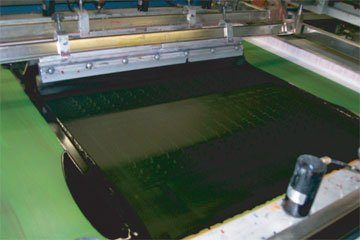
In screen printing, choosing a material can make or break your final product. It’s not just about the look but about how the ink and surface work together. For example, using water-based ink on nylon often leads to poor adhesion. Similarly, using a standard plastisol ink for wood can cause the design to scratch off far too easily.
When choosing a material, always consider if it matches your specific ink system, surface smoothness, heat resistance, and durability. Ultimately, a successful project goes beyond picking something that looks good on day one; it’s about choosing a combination that also holds up to wear and lasts over time.
Poor ink application is a very common challenge for beginners. If your print looks uneven, heavy, or incomplete, it means that the ink consistency and pressure applied are not well-balanced.
The typical issue is that excess ink causes bleeding and a loss of detail, while too little ink leads to patchy prints. Poor squeegee technique also creates problems. With insufficient pressure, the ink won’t pass through the screen; press too hard, and the edges can easily become blurry.
The trick is to get the ink to spread evenly through the screen. Choose a squeegee with the appropriate hardness, and maintain consistent pressure, angle, and speed when pushing or pulling the ink. It might take a few tries, but practice leads to professional results.
Lifting the screen mid-printing is another mistake most beginners make. It’s tempting to check how the design is turning out, but doing so can lead to misalignments and distorted designs. Instead, run a few test prints and check the overall quality before moving on to the full production run.
Many printers skip pre-production test prints in an effort to save a little time. But more often than not, this shortcut allows problems with layout, placement, and color saturation to slip through until the full print is already underway. The result? Wasted materials and the added cost of rework.
Don’t risk your project with preventable mistakes. Always perform a pre-production test run to verify the quality. Check how the print looks fresh off the press and, more importantly, how it holds up once it’s cured.
Screen printing is a great way for most DIYers and entrepreneurs to create unique and personalized promotional products. But getting it right every time is anything but easy. To avoid common screen printing problems, you need to put these tips into practice.
When you choose a professional screen printing service in Denver, you’re not just getting your products made; you’re investing in making your brand stand out. Here’s the level of service you can expect:
One of the primary advantages of screen printing is its versatility. While cotton and blended fabrics are common, paper and wood also provide great results. You can also print on metal and glass, but these materials may require specialized inks and surface preparation for optimal adhesion.
Fading or cracking prints are usually a result of improper curing, moisture in the garments, and poor surface prep. When these issues happen, the ink will not bond to the material properly. It’s like painting a wall; if you don’t clean, prime, and seal the surface, the paint won’t adhere well and will start to peel much sooner.
Yes, intricate or gradient designs can be printed, but they require advanced techniques, materials, and expertise, which are among the cost factors in screen printing. This is a common drawback of screen printing compared to digital.
Professionally screen-printed designs are built to last several years. For t-shirts, a well-made design can retain its quality for 50 to 100 washes. This makes screen printing a preferred printing method for creating custom promotional materials.
If you’re new to printing, follow these industry-standard screen printing tips.
Screen-printing mistakes are common, especially for beginners working with DIY kits. From using poorly prepared artwork and inappropriate screen mesh to uneven ink application and skipping pre-production test runs, these challenges are all part of the learning process.
However, if you’re serious about achieving excellent results and avoiding these common screen printing problems, working with experts is a strategic investment.
At Artcraft Sign Company, we help bring your designs to life with technical precision, providing the quality and scalability your business needs to grow effectively. Contact us today!
When consumers are faced with rows of products on the shelf or online, the label is the primary factor in …
Entering a busy event can be visually overwhelming, with a barrage of signs—all different sizes, designs, and colors—competing for attention. …
Sign maintenance is a significant step in ensuring your business operates at its best. More than two out of three …